Set Up Azure AD Application
Configure Azure AD:
Login to portal.azure.com with an user account that has access to the Azure Active Directory
Go to the Azure Active Directory
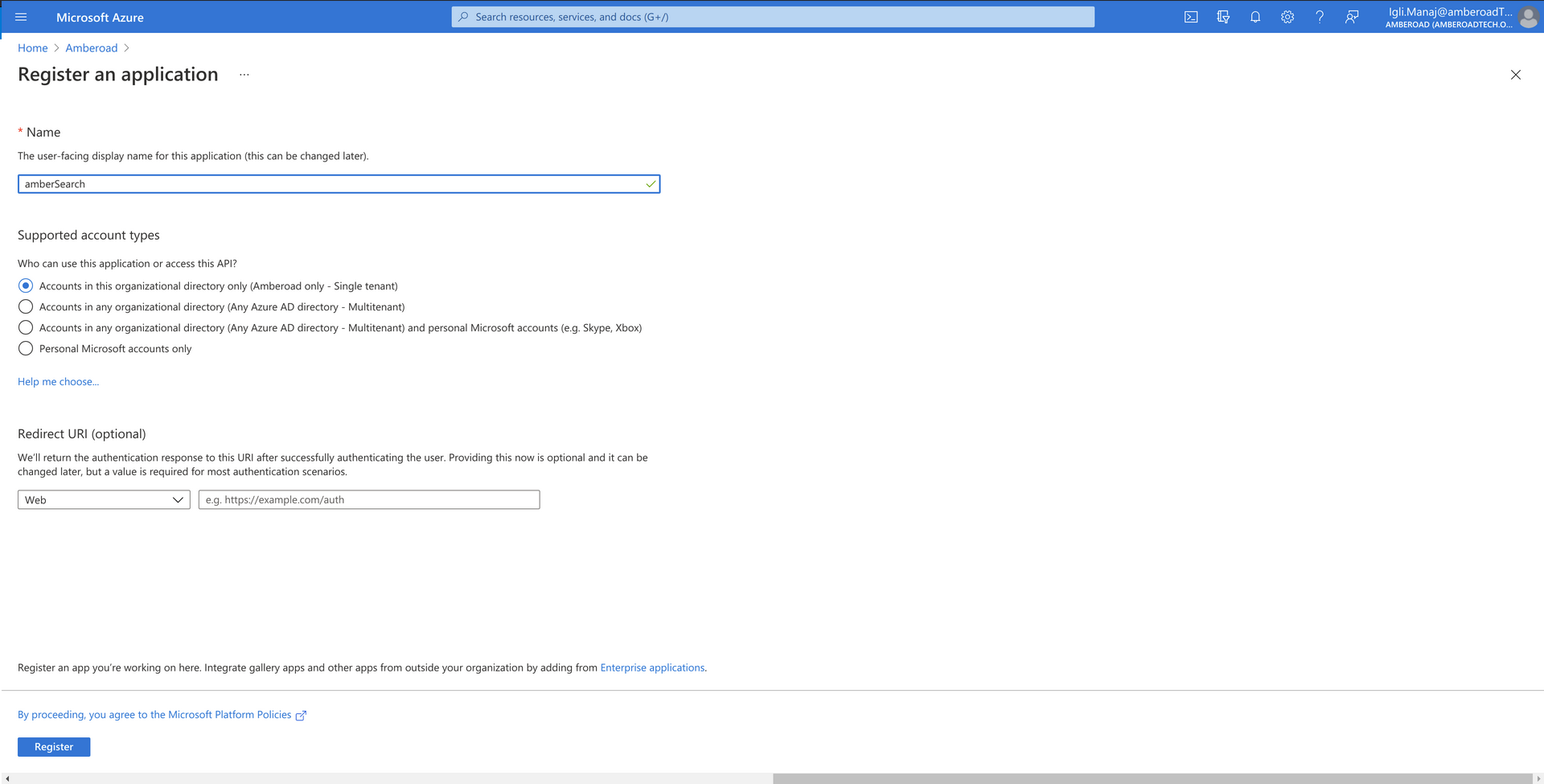
Create a new registration (click on 'App-Registrations')
Select Name: amber
Leave URL empty
IMPORTANT NOTE
This app registration must be a separate object from the enterprise application configured in
Add and additionally configure forwarding URLs (by clicking on the “Forwarding URLs” button on the overview page)
Go to Authentication
Add a platform
Choose Web
Input Redirect URI https://customerName.ambersearch.de/api/auth/microsoft/callback
Keep in mind to replace customerName accordingly
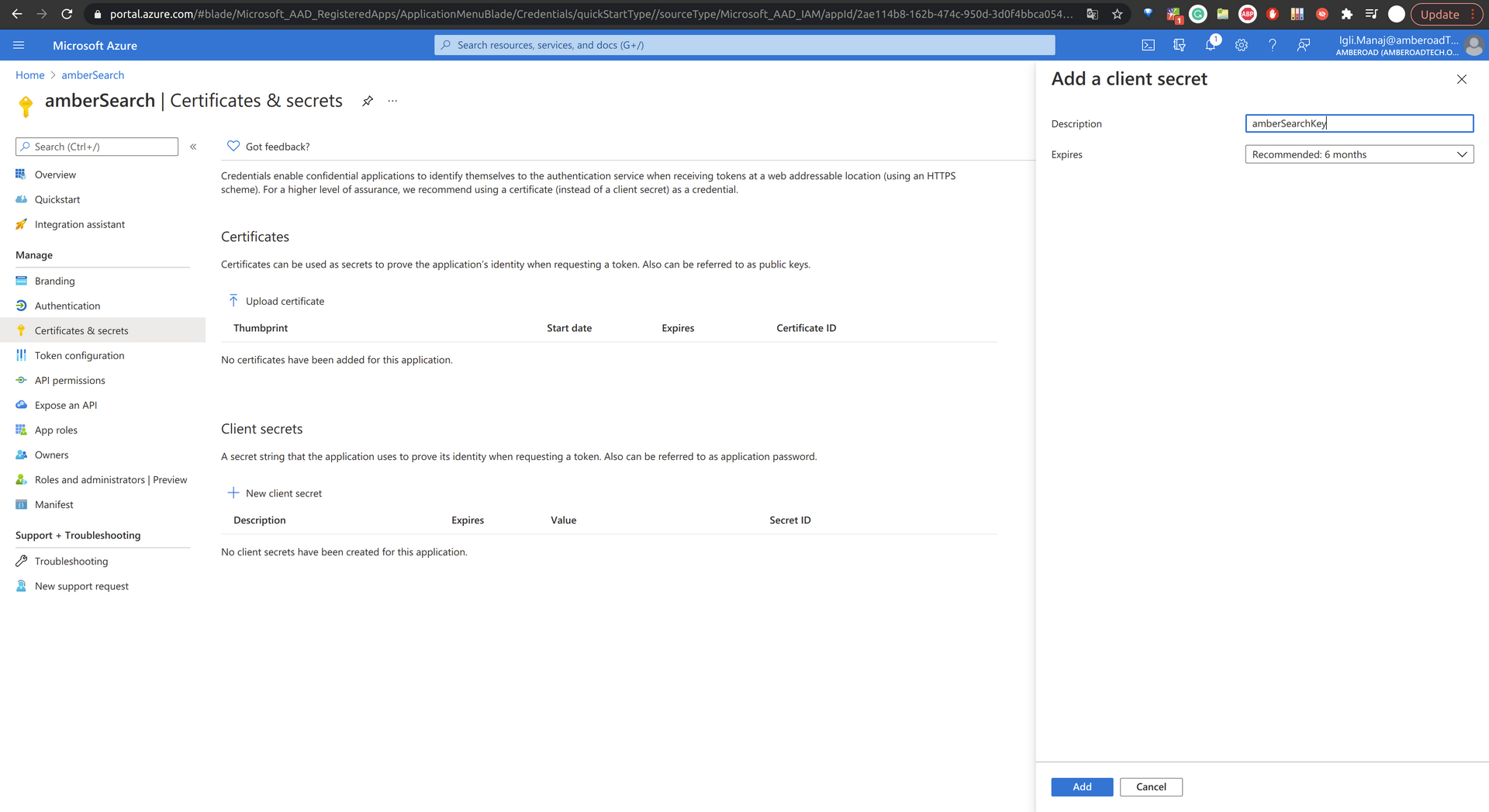
Create a client secret at the "Certificates & secrets" Page
Go to "Certificates & secrets"
Click on "New client secret"
Set expiration period of 2 years
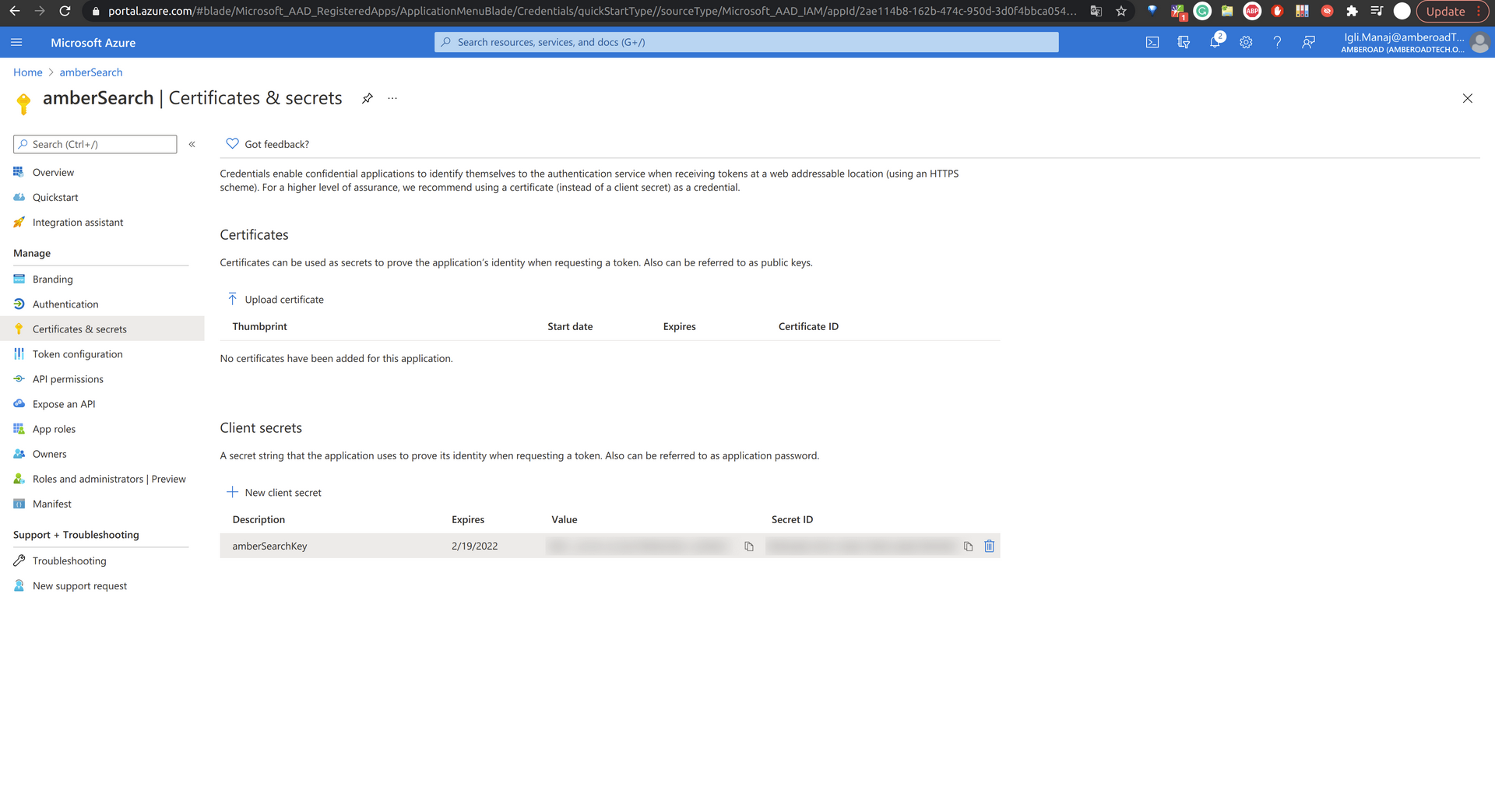
Save the value, as it will not be available again, after leaving or refreshing the page.
Request Graph API Delegated Permissions for the following resource:
Go to API permissions
Add a permission
Choose Microsoft Graph, then choose delegated permissions
Request permission for the following resource(s):
User.Read
Note: If Azure pre-sets the permission, then you don't need to add it.
Request Graph API Application Permissions for the following resources:
Go to API permissions
Add a permission
Choose Microsoft Graph and then Application permissions
Request permission for the following resources:
Group.Read.All
GroupMember.Read.All
User.Read.All
Grant admin consent for the required permissions
Expected outcome / what the amber Team needs for a successful set up:
tenant URL
tenant ID
client ID
Value of the secret (also known as client Secret)
secret ID (optional)
Secret expiration date (comment field)
Final Checklist
The following values must be provided to the amber Team during the technical onboarding:
Tenant URL
Tenant ID
Client ID
Value of the secret (also known as Client Secret)
secret ID
User.Read - The Graph API delegated permission is granted
Group.Read.All - The Graph API application permission is granted
GroupMember.Read.All - The Graph API application permission is granted
User.Read.All - The Graph API application permission is granted
If you need assistance please reach out to us via IT@amber.de
Was this helpful?