Set Up Confluence and Jira
Important prerequisite: This manual should be executed only after Set Up the Atlassian Application has been accomplished
In order to index the contents of Confluence and Jira, a new User should be created in your environment.
Create a new User in your Atlassian User Management
Navigate to https://id.atlassian.com/manage-profile/security/api-tokens and login as the newly created user.
Create an API token for the User.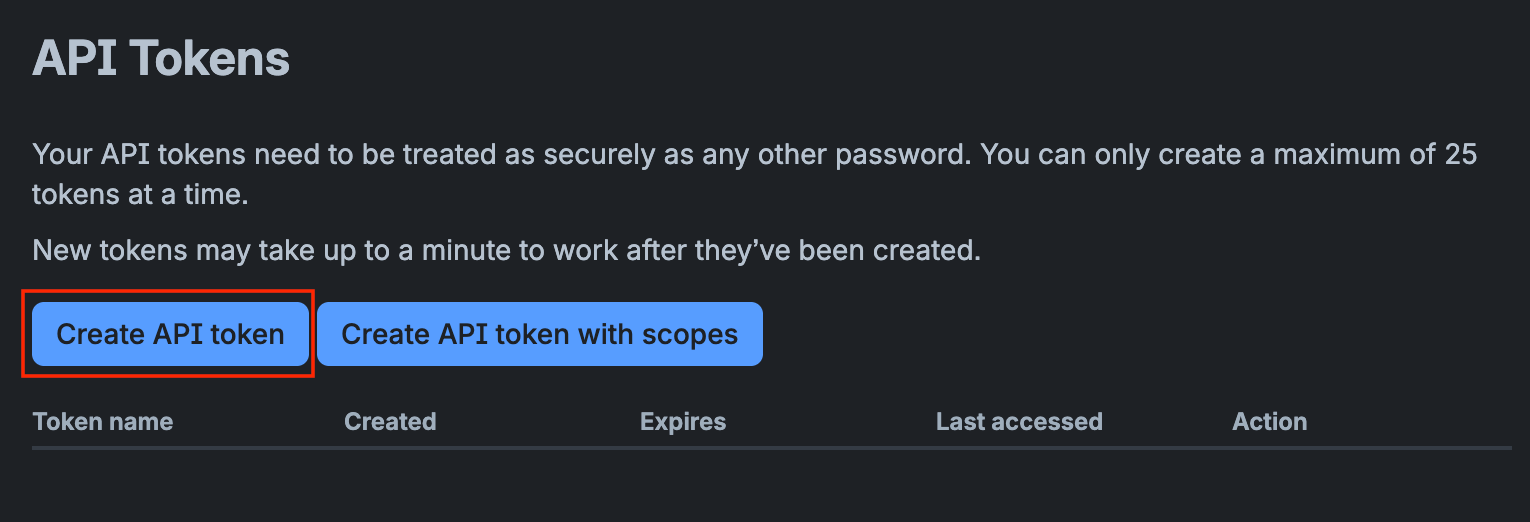
Grant read permissions for all (relevant) spaces to the User
Provide the Email, Password and API token to your contact at amber.
The following points are relevant only for Jira
Grant Jira Administration permissions to the new User
This is needed for reading the permission schemes and the associated users' permissions
Go to your Atlassian Admin Dashboard, then navigate to Products
Add product "Jira Administration" if not present
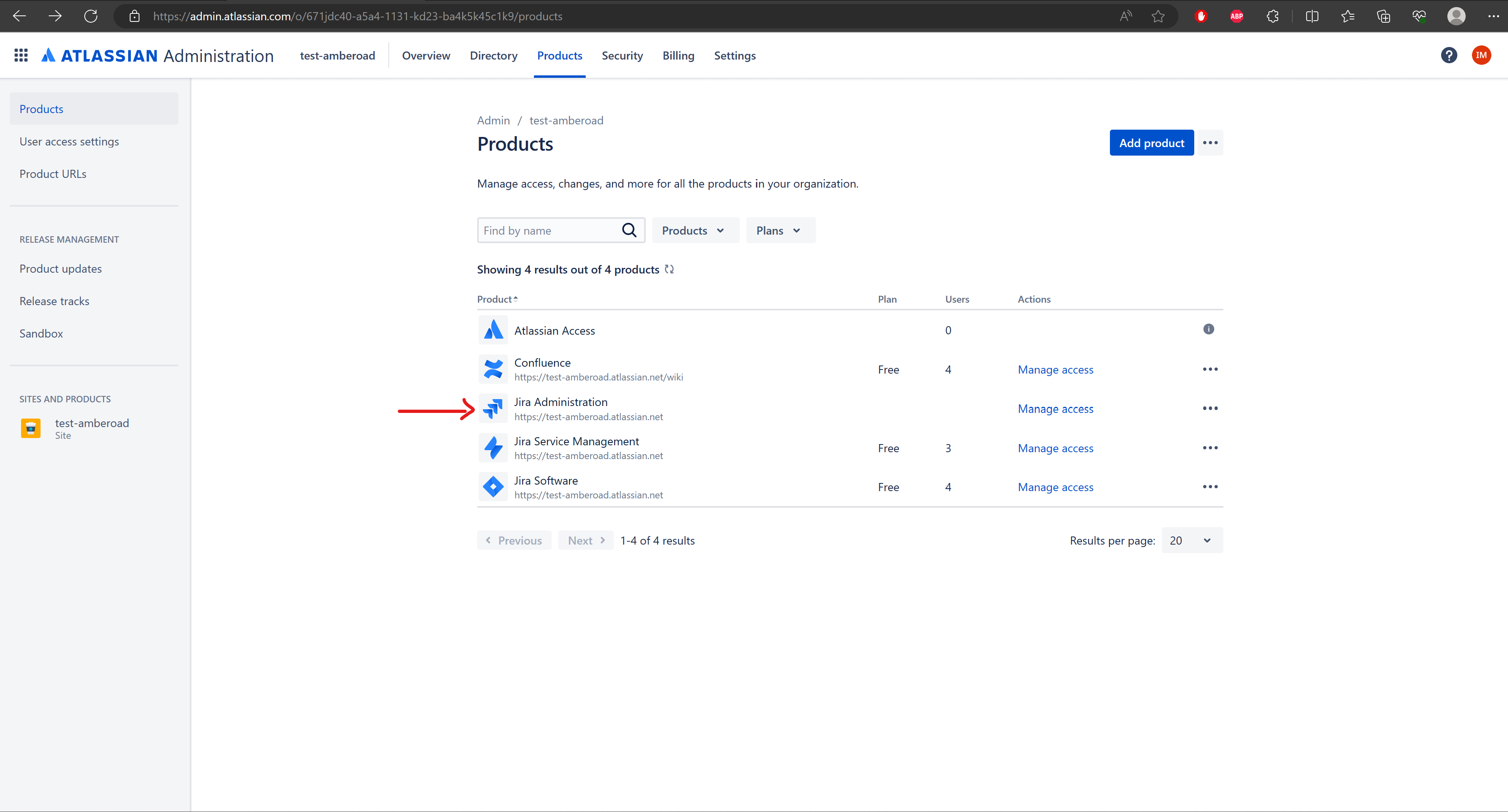
Click on Manage access for Jira Administration
Click on jira-admins-{your_company_name}
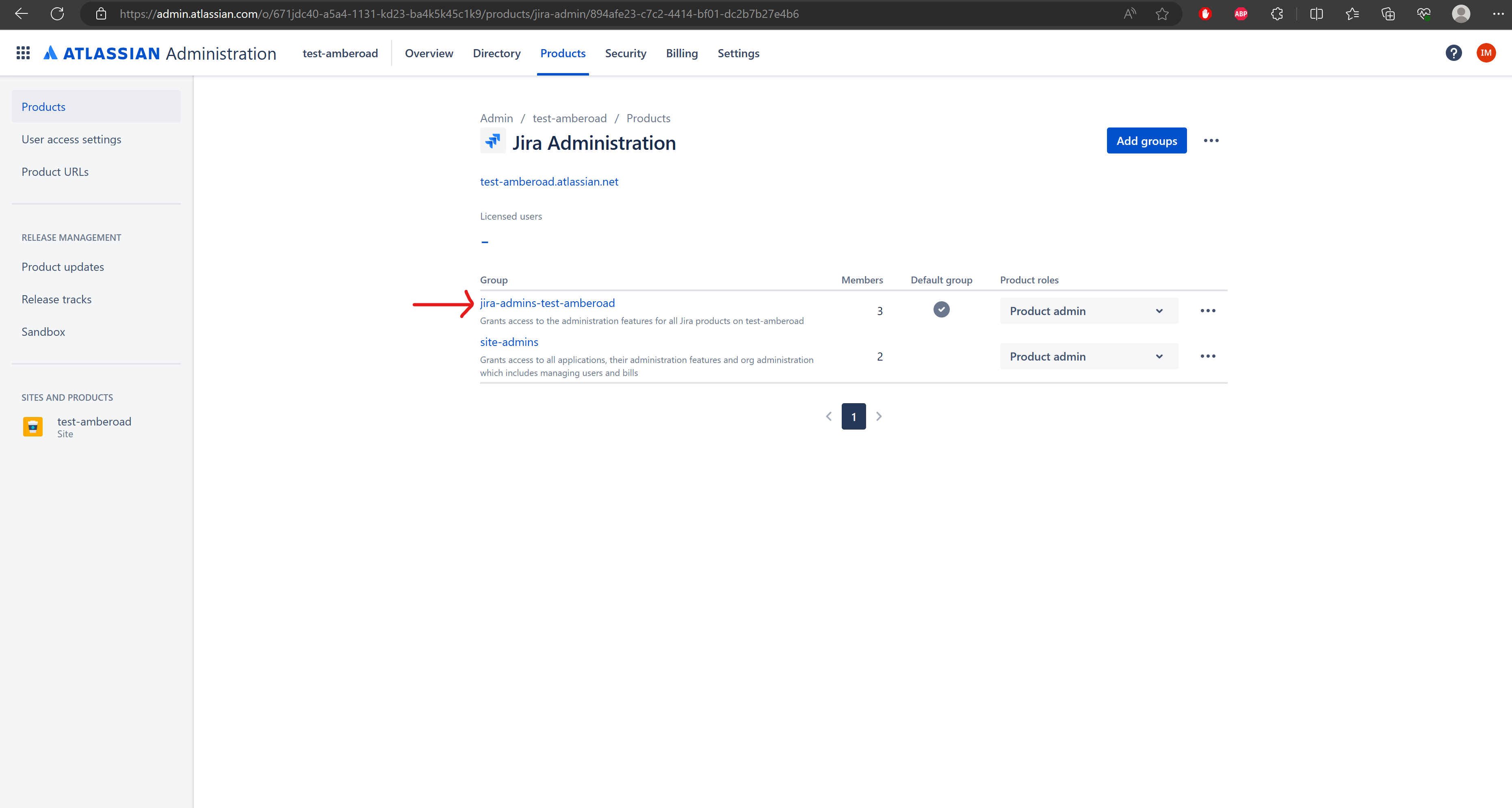
Add group members, select the User account, Add users
This step is relevant only if your tenant uses issue security levels. By default, this is not the case.
Go to https://customername.atlassian.net/secure/admin/ViewIssueSecuritySchemes.jspa
Iterate through all existing schemes, then through all existing Security levels
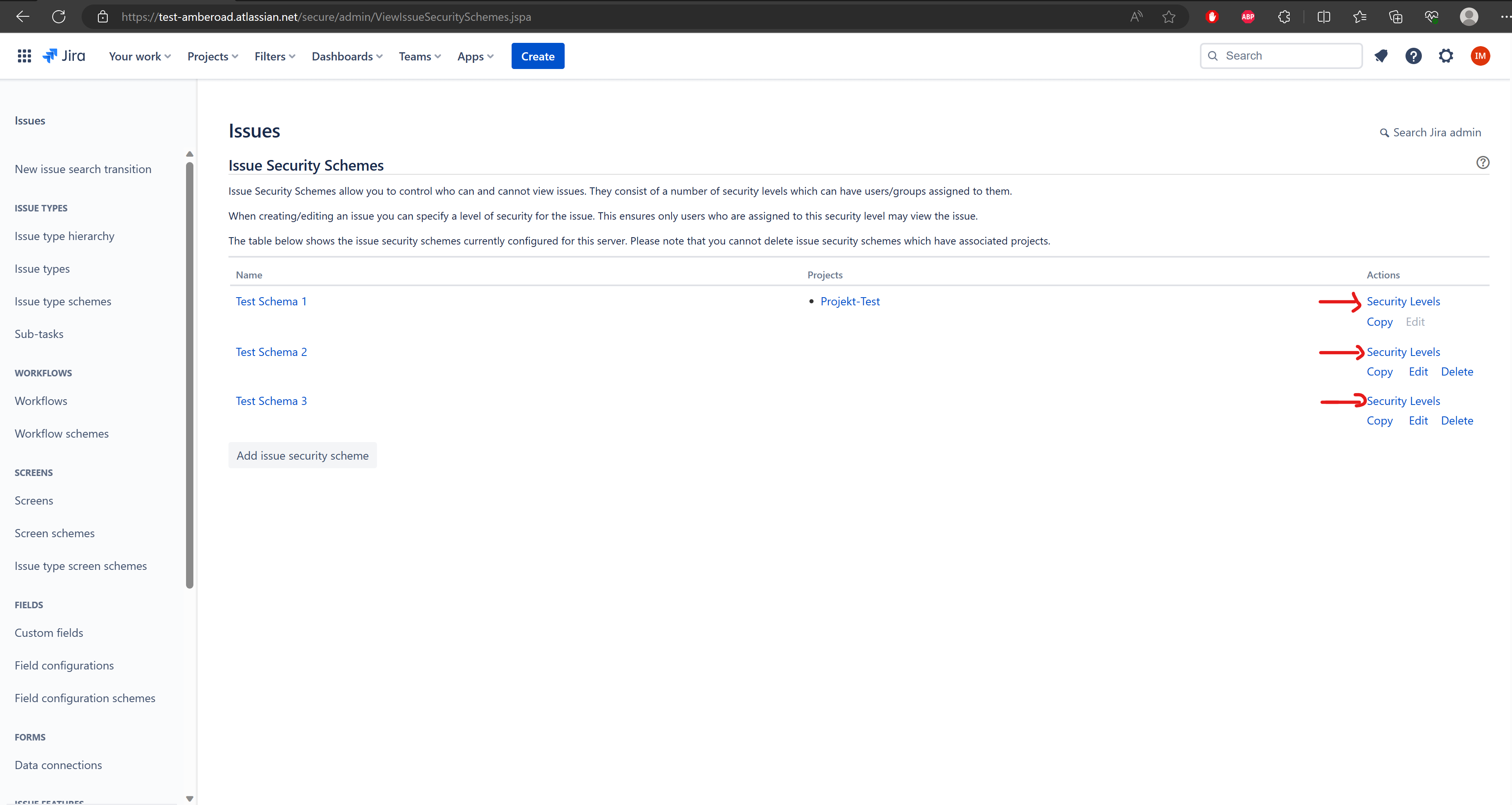
Add the User to all existing security levels
Was this helpful?