The Library: One Place for All Your Files in amber
The Library is your central place for finding, organizing, and reusing files in amber. It brings together everything amberAI has created for you and everything you upload yourself, so you no longer need to search through old chats to find a generated report or image.

What you find in the Library
The Library automatically collects the content amberAI generates for you:
Deep Research Reports
Generated files and images
Canvases
Interactive interfaces
Uploading your own files
You can also upload personal files directly to the Library. If you are just getting started with amber and have no data sources connected yet, the Library gives you a native place for your data right away. If your company already works with connected data sources, the Library acts as an additional data source on top of them.
A big benefit: there is no need to wait for overnight indexing. Files you upload to the Library are immediately searchable and available in amber, so you can start asking questions about them right after the upload. Once uploaded, these files can be used in amberSearch and amberAgents, so you get answers based on them just like with any other company knowledge.
Working with folders and sharing
To keep things organized, you can create folders in your Library. You can also share folders with your coworkers, so they can use the same files in amber too. This makes the Library a simple way to build a shared working set of documents for your team.
How to access it
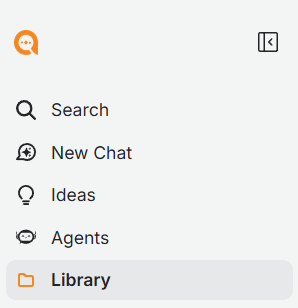
You find the Library in the amber sidebar. Open it to browse your generated content, upload new files, or manage your folders and shares.
Was this helpful?