Integrate MailStore Client
This manual describes the process of giving amber access to Mailstore E-Mail archives in order to make the contents stored in Mailstore searchable through amber. The target audience of this manual is Mailstore administrators.
Note: amber supports individual MailStore archives only. Archives shared by, or accessible to multiple users are currently not supported.
Open your Mailstore server and navigate to Administrative Tools > Users and Archives > Users
Create a new native user in Mailstore (not imported from other user directories)
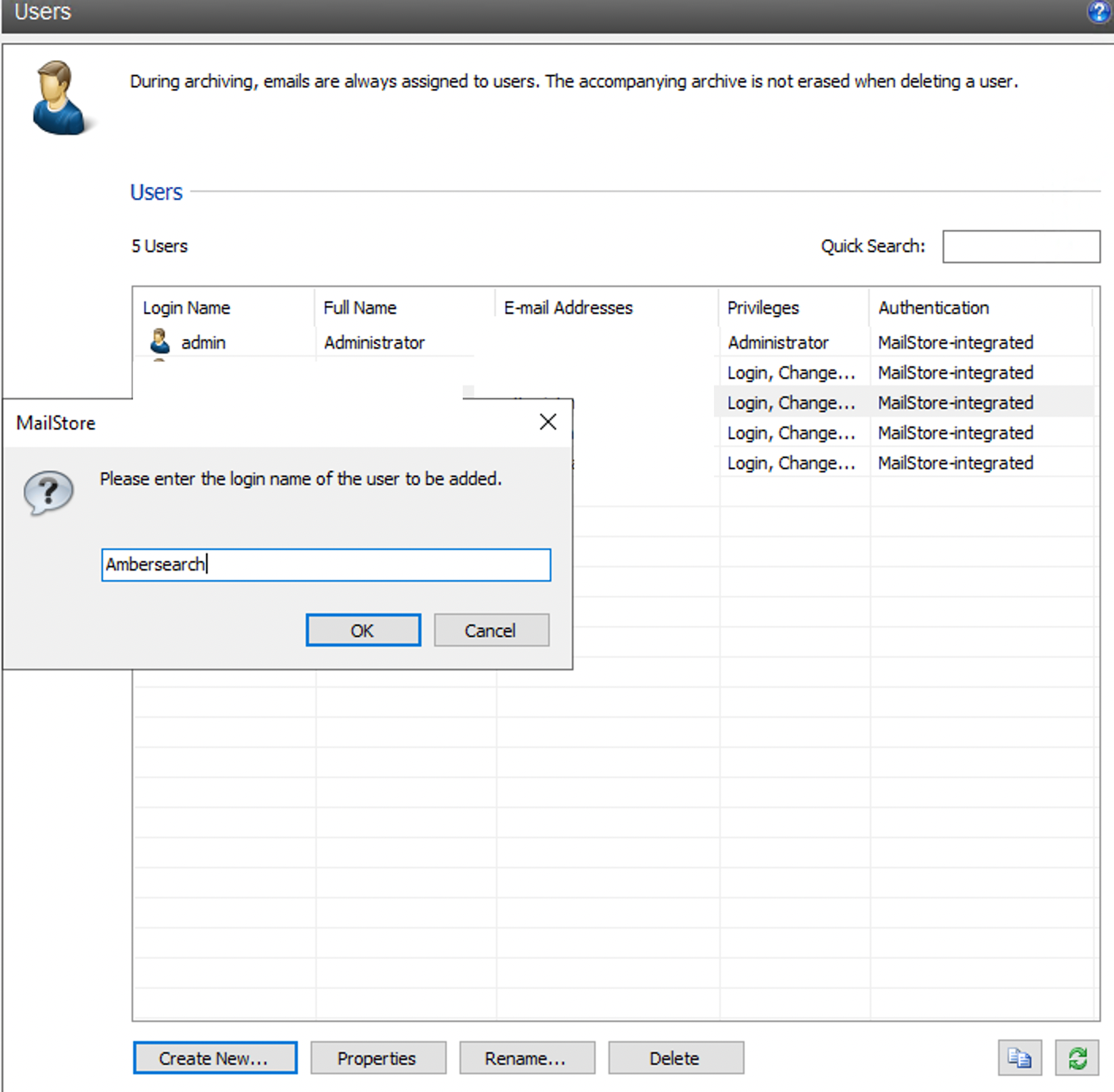
Make sure to have
IMAPconfiguration enabled (email is optional)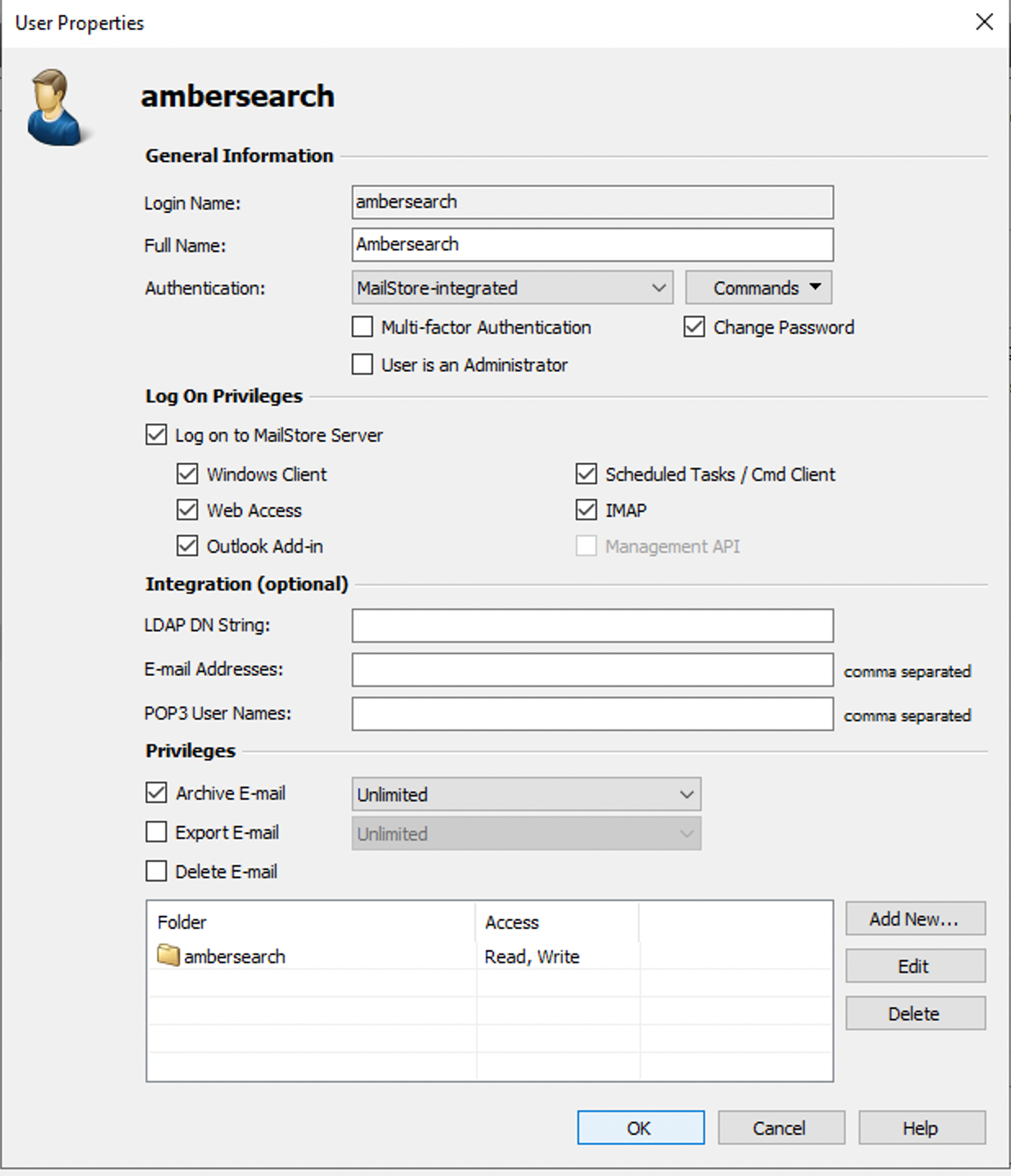
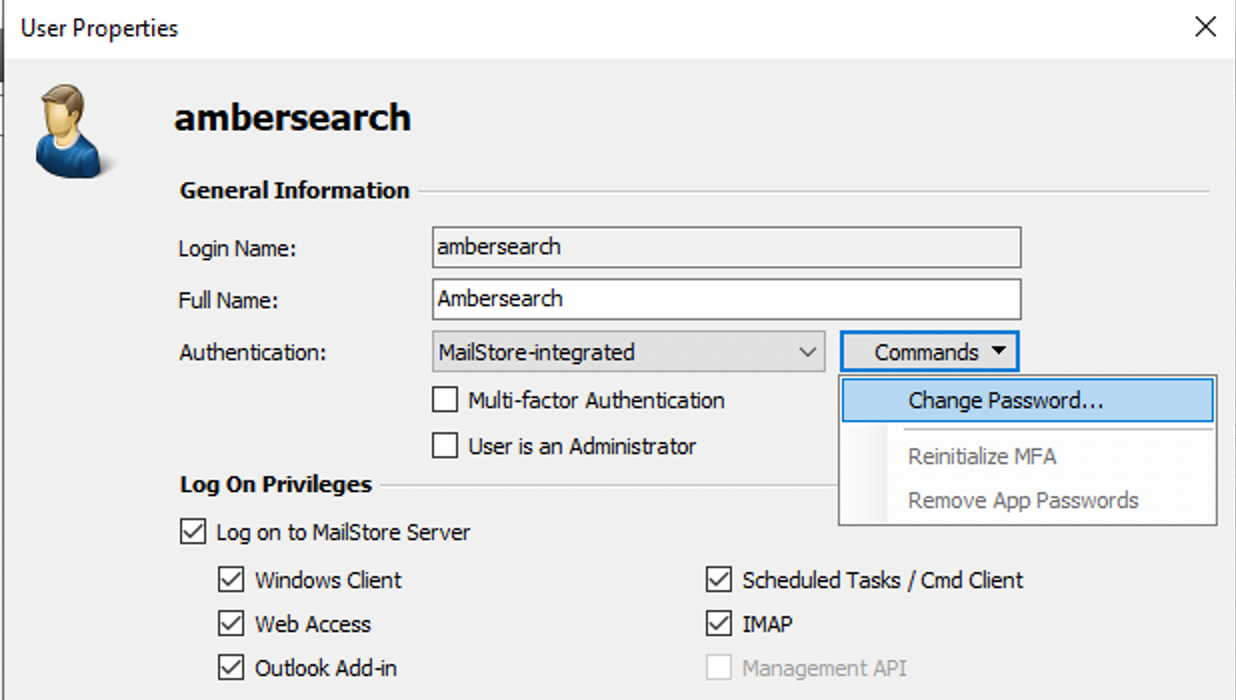
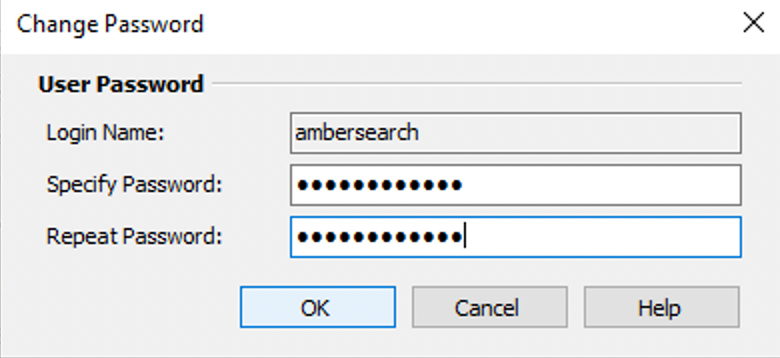
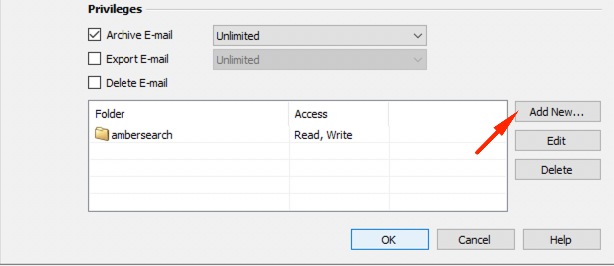
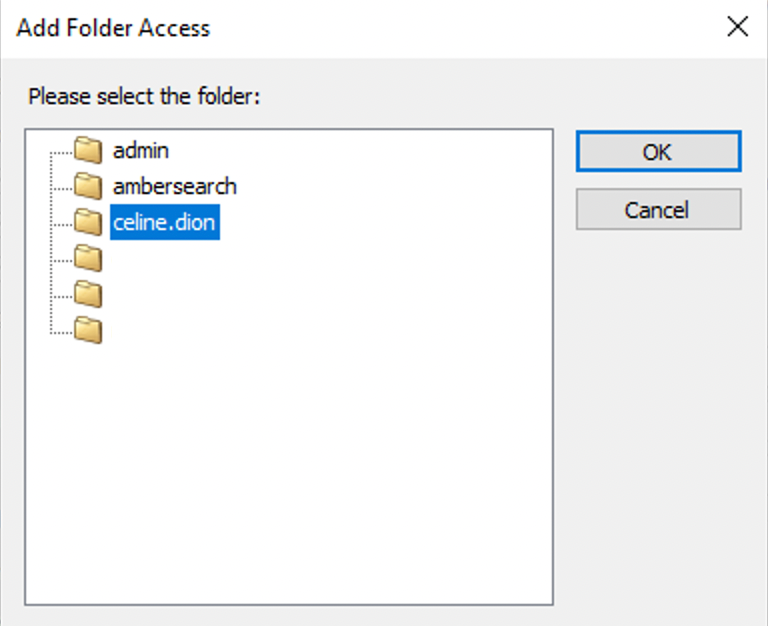
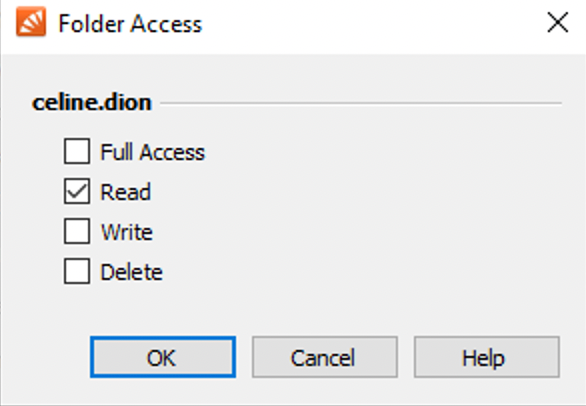
On privileges, add all the folders that you want “ambersearch” to have access to. Read permissions are enough.
Select folders
Set permission to Read
After you have granted access to all the necessary folders, you should provide the Mailstore Web URL and credentials(username, password) of this newly created user to amber.
Was this helpful?